 Flick
AI Filmmaking Platform for Story-Driven Films
A film is more than a collection of impressive clips. The platform has to preserve the story, the characters, and the visual logic from the first idea to the final cut.
What makes filmmaking different from generating a short clip?
A short clip can succeed on the strength of one image or one motion. A film also needs continuity. A viewer expects the central character to remain recognizable, the setting to behave consistently, and each shot to earn its place in the sequence.
That is why a filmmaking workflow must connect decisions. The script establishes intent, the storyboard turns intent into shots, character references protect identity, generation produces footage, and editing controls rhythm. Treating those steps as unrelated tools creates the familiar result: polished clips that do not add up to a coherent film.
How does Flick connect ideation, generation, and editing?
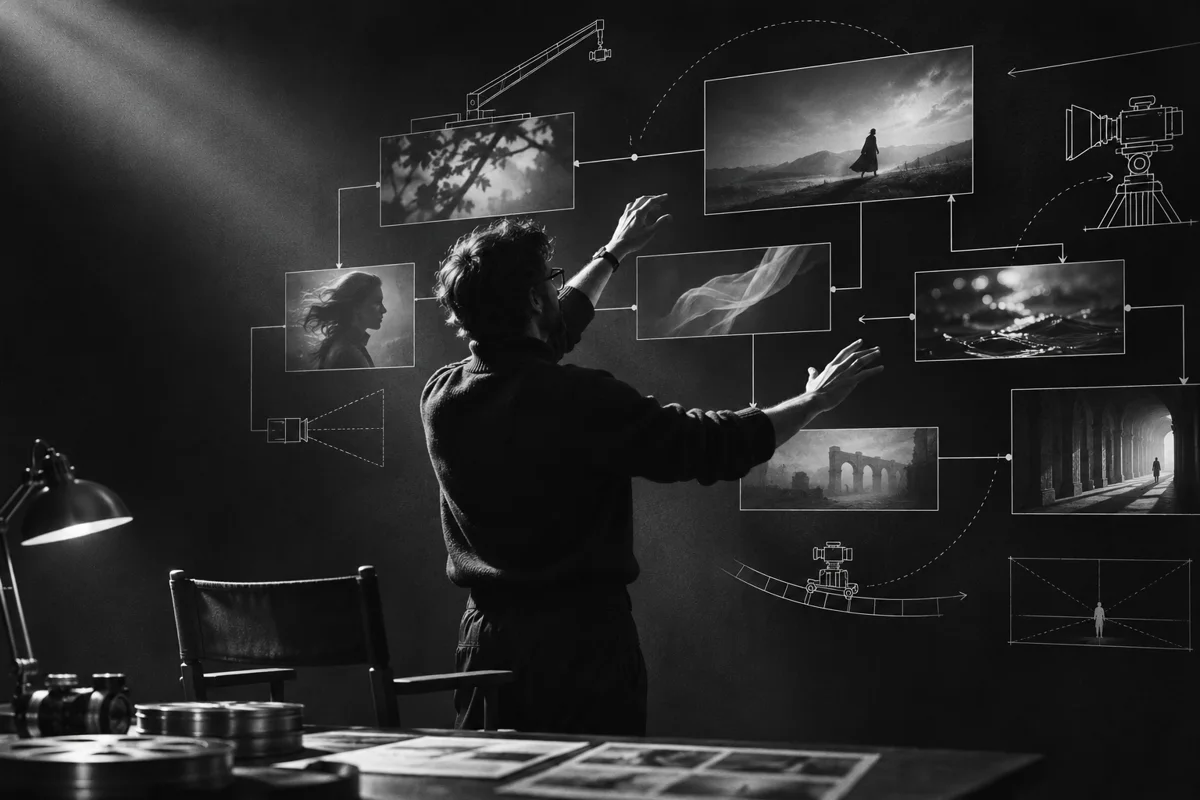
Flick starts with an AI filmmaking agent that can help expand a rough premise, organize a scene-by-scene outline, and move into visual planning. Scripts, scenes, characters, generated visuals, and edits can live as connected parts of the same canvas instead of being scattered across folders and chat threads.
The canvas supports nonlinear work. A director can revisit an earlier character design, generate an alternative reaction shot, or reorganize the sequence after seeing the material. That flexibility matters because filmmaking is iterative: the best edit often changes the shots you thought you needed.
- Develop a premise into a beat sheet, outline, and script.
- Turn script beats into storyboard frames and shot intent.
- Use persistent character references across generated scenes.
- Control camera movement and visual direction shot by shot.
- Assemble and revise the final sequence in the editor.
Which parts of AI filmmaking still require a human director?
Generation can accelerate exploration, but it does not replace dramatic judgment. A director still decides what the audience should feel in each beat, which take carries the performance, when a cut should land, and which inconsistencies are meaningful rather than accidental.
The practical division of labor is simple: let AI widen the search space and handle repetitive production work, while a person protects narrative intent. A model may propose twelve camera angles; the director chooses the angle that serves the scene. That is also why a canvas is more useful than a one-shot prompt for film work.
What should you compare before choosing an AI filmmaking platform?
Start with the artifact you want to finish. If the deliverable is a social clip, fast text-to-video may be enough. If the deliverable is a short film, you need to inspect script handling, shot organization, character continuity, reference controls, editing, export terms, model access, and credit costs together.
Also test the recovery path. What happens when a generated shot is almost right? Can you revise the prompt, reuse the character, change the framing, or replace a single shot without losing the surrounding project? A workflow becomes valuable when iteration remains organized.
How should a small team build a repeatable AI film pipeline?
Begin with a short proof scene rather than a feature-length plan. Lock the character references, establish two or three camera rules, build the storyboard, generate alternates, and edit the scene as if it were final. Review what broke before expanding the production.
A practical team workflow separates creative approvals from generation batches. The writer or director approves the script and shot intent; the generator produces controlled alternatives; the editor tests continuity; the director makes the final selection. Flick’s shared canvas and plan-level credit model are designed to keep that loop in one place instead of turning it into a handoff chain.
How the filmmaking stages fit together
A story-first workflow distributes control deliberately instead of asking one prompt to make every decision.
| Production stage | What Flick supports | What a director decides |
|---|---|---|
| Develop | AI-assisted ideation, scene outlines, scripts, and visual research | Premise, tone, dramatic structure, and what the audience should feel |
| Previsualize | Storyboards, visual references, and shot planning | Framing, camera intent, scene order, and visual continuity |
| Generate | Image and video generation across supported models, with character reference and camera controls | Which take works, where to push realism, and when to stop iterating |
| Edit | A video editor inside the same filmmaking workflow | Pacing, transitions, sound intent, and the final story |
Product capabilities are based on flick.homes and Flick pricing documentation reviewed on 2026-11-29. Model availability and credit consumption vary by plan.
Frequently asked questions
Is an AI filmmaking platform the same as an AI video generator?+
No. A video generator creates individual clips. A filmmaking platform also organizes the script, visual plan, characters, shot continuity, generation, and editing steps required to finish a story.
Can Flick make long-form AI films?+
Flick is designed for connected scenes and long-form storytelling rather than isolated clips. The practical length depends on planning, model limits, credits, and how much revision the edit requires.
Do I need filmmaking experience to use Flick?+
Experience helps with story structure and shot language, but the canvas organizes the work into understandable stages. A useful starting point is a one-scene project with a clear character, location, and emotional change.
Where should a first AI film project start?+
Start with a short scene that has one location, one character goal, and a visible change. Build the script and storyboard before generating a large batch of clips.
Direct the story, not just the prompt
Build a scene on one canvas, keep the visual logic together, and shape the final edit with Flick.